


Maintenance
IMER Mix 750 Paddle Wiper Rubbers: 5 mm Gap, Wear, Parts
IMER sets the Mix 750 paddle wiper rubbers 5 mm from the drum. Learn the wear signs, what the manual says to check, and the rubber parts in the parts book.
IMER Parts USA teamParts specialists
Published 5 min read
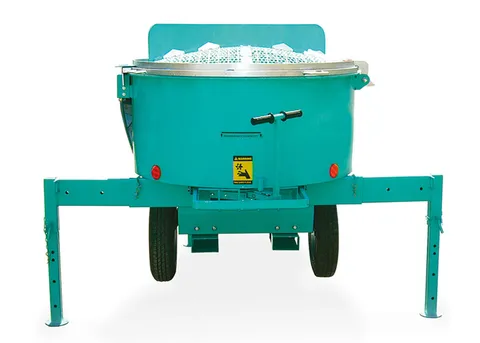
The IMER Mix 750 paddles carry rubber wipers that sweep the drum wall as the paddles turn. As that rubber wears, the gap to the drum grows. IMER’s instruction manual gives one number for it: 5 mm, which the manual prints as 1/5 in (about 0.2 in).
This guide covers what the Mix 750 manual says about that gap, the warning signs, and the rubber parts listed in the parts book.
What the manual says about the wiper rubber
The Mix 750 maintenance section (Mortarman 750 MBP manual 3211212, R03, 09/2018) says that as the paddle wiper rubber wears, you need to bring the distance between the rubber and the drum back to its original specification: 5 mm or 1/5 in.
It also says not to place the rubber flush against the drum. A rubber set hard against the drum makes the paddle drag excessively, and that can lead to the paddle bending or breaking.
So there are two ways to get it wrong: a gap that has opened up as the rubber wore, and a rubber set too tight.
How often to check
The manual asks you to monitor and retighten the paddle assembly hardware during the first 15 hours of operation. After the parts have seated in, it still recommends checking the paddle hardware weekly, or whenever the machine is thoroughly cleaned.
A thorough clean is a good moment to look at the rubbers too, since the drum is empty and the paddles are easy to see.
Wear signs and what to do
| What you see or hear | What the manual says |
|---|---|
| Wiper rubber worn, gap to the drum has grown | Bring the gap back to 5 mm (1/5 in). |
| Rubber touching the drum, paddle dragging | Do not set the rubber flush against the drum. The paddle can bend or break. |
| Irregular, noisy paddle movement at start-up | Stop the mixer and contact your local IMER distributor. |
| Sharp scraping sounds, or the paddle spider vibrating heavily | Stop the mixer, disconnect all power, and unload by hand if necessary. Do not restart until the cause is found. |
| A rock caught between a paddle and the drum | The manual warns that a paddle wedging a rock against the drum causes substantial damage. Keep rocks out of the sand. |
Checking the gap
The manual does not give a step-by-step procedure for adjusting or replacing the wiper rubbers on the Mix 750, so this is a checklist based on what it does say.
- Stop the mixer. Shut off the engine and pull the spark plug wire, or unplug the electric motor.
- Look at each paddle wiper rubber and compare its distance from the drum with 5 mm.
- If a worn rubber has opened the gap, bring the gap back to 5 mm. Do not leave the rubber touching the drum.
- Check that the paddle hardware is tight.
- Make sure the guards are back in place before you restart.
The manual gives no minimum rubber thickness and no replacement interval. If you cannot tell whether a rubber has enough material left to restore the gap, ask your IMER dealer or the parts counter, and send the machine’s serial number.
Keep a spare paddle set
The manual notes that many contractors keep an additional set of paddles. When one set is ready for maintenance, you remove the entire paddle spider and drop on the spare. IMER says this takes less than one hour and lets you maintain the used set at your leisure.
Do not confuse it with the discharge gate wiper
The manual also mentions a separate wiper on the discharge gate mechanism. It continually sweeps debris off the safety grate, and the manual asks you to hose off the area under the discharge gate a few times a day. That wiper is not the paddle wiper rubber described above.
The manual is also firm that the discharge safety grate must never be removed, and that the grate’s safety interlock must not be disconnected.
Parts for this job
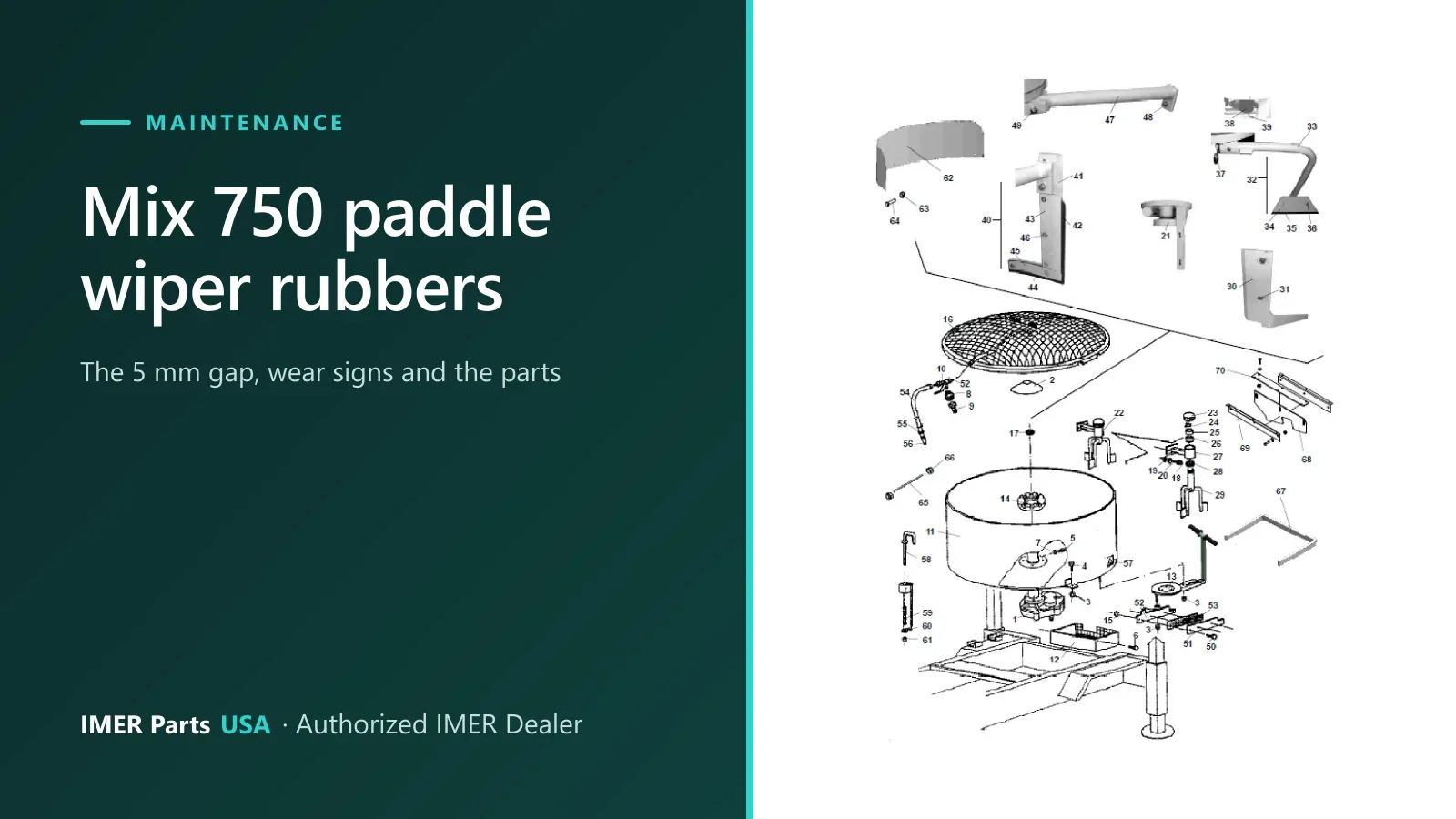
In the Mix 750 parts book, the rubbers carried by the paddles are listed in drawing 1, “Mixer drum and paddle assembly”. The manual does not say which single line is “the” paddle wiper rubber, so match the part to your paddle on the drawing.
| Ref | Description in the parts book | Part number |
|---|---|---|
| 42 | Vertical Rubber Outer Paddle | 3211221 |
| 43 | Vertical Plate Outer Paddle | 3211222 |
| 44 | Horizontal Rubber Outer Paddle | 3211675 |
| 45 | Horizontal Plate Outer Paddle | 3211674 |
| 47 | Support Outer Paddle | 3211250 |
| 35 | Floating Rubber | 3211677 |
| 34 | Floating Plate | 3211678 |
Drawing 1 also shows the outer paddle, floating paddle and inner paddle assemblies these rubbers belong to. Here is ref 42 on the drawing:
Check your machine version first
The parts book above is the IMER Mortarman 750 MBP book, R03 dated 09/2018. IMER’s current Mix 750 product sheet lists several versions of the machine: 240 V single-phase, 208 V three-phase, 480 V three-phase, a 13 hp Honda GX gas model, and a version with no motor. If you are not sure that a rubber or plate matches your machine, send the model and serial number through the fit check and a parts specialist will compare it with the IMER parts book.
TaggedMix 750mortar mixer maintenanceMortarman 750paddle rubberwiper rubber
6 parts
Parts in this guide
Machines in this guide
Keep reading
Related guides
Maintenance
IMER Mixer and Pump Cleaning, Storage and Winter Care
End-of-shift cleaning, freeze draining and storage steps from the IMER manuals for the Mix 750, Mix 120 Plus, Step-Up 120, Small 50, Koine 4 and more.
5 min read
Buying guide · Buying guides
How to Find the Right IMER Part Number for Your Machine
Find the correct IMER part number: what to read off the identification plate, how parts book drawings and reference numbers work, and what to send us.
4 min read
Buying guide · Buying guides
Choosing an IMER Mortar Mixer: Mix-All 60 to Mix 750
Compare the IMER Mix-All 60, Mix 120 Plus, Mix 360 Plus and Mix 750 side by side: drum size, batch output, power options, wheels and weight.
5 min read
Authorized IMER Dealer
Not sure which part you need?
Send the machine model and serial number and a parts specialist gets back to you.